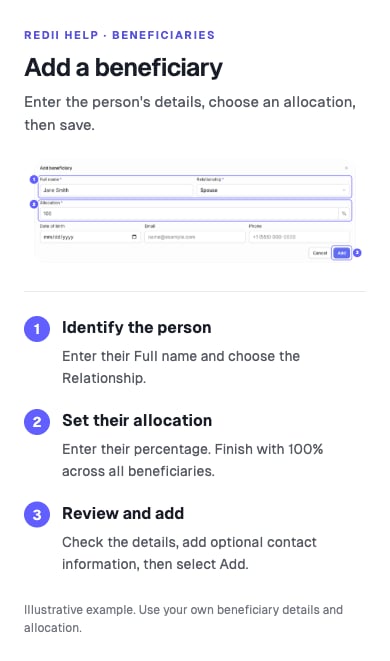
You can reach Beneficiaries in either of these places, when available to your account:
  • Retirement Benefits → Settings, after retirement enrollment.
  • Your employer’s Deferred Compensation plan Dashboard.
Both locations show the same beneficiary list. An edit in one appears in the other; these are not separate lists for each plan.

Add a person

  1. Select Add beneficiary when the list is empty, or Add when it already contains people.
  2. Enter Full name, select Relationship, and enter an Allocation percentage.
  3. Complete the other required fields shown. You can also record the available contact details.
  4. Select Add, then check the person and percentage in the list.
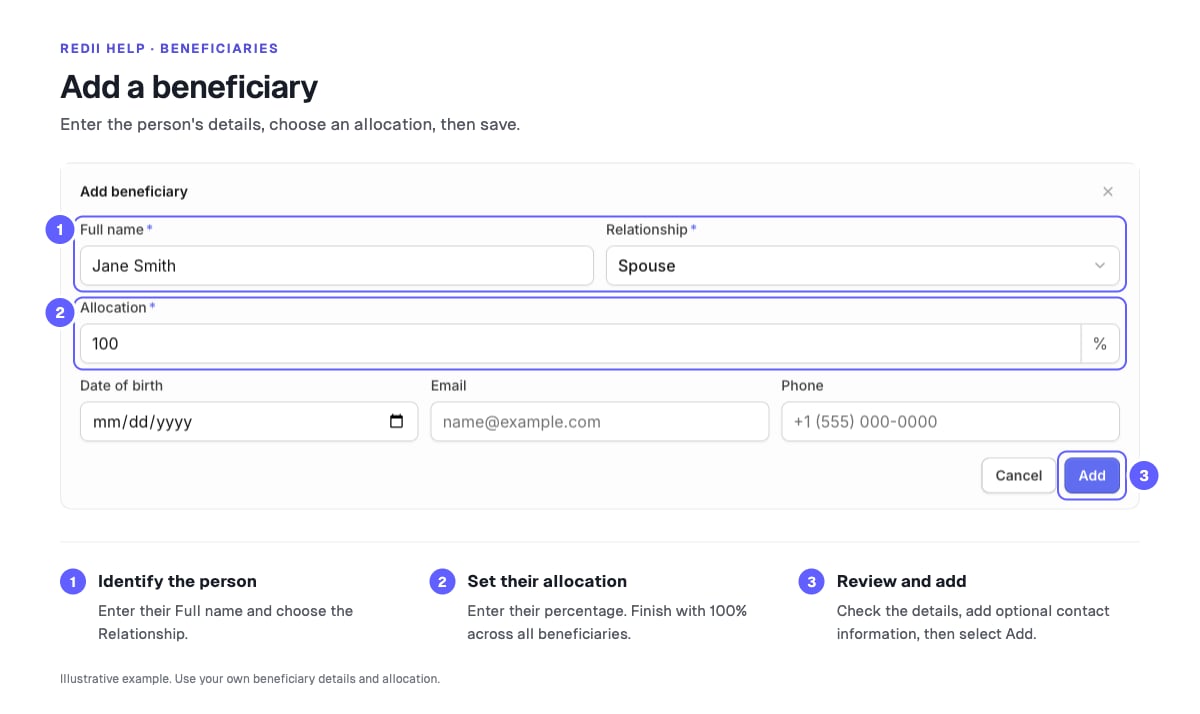
Example beneficiary form: 1. Enter the full name and relationship. 2. Set the allocation percentage. 3. Review the details and select Add.
The allocation summary shows how much of 100% you have assigned. For example, two people with 60% and 40% fill the allocation. This illustrates the total only; choose your own designations.

Edit or remove a person

  • Use the edit control beside the person’s name, update the fields, and select Save.
  • Use the remove control beside the name and confirm Remove to remove that person.
  • Check the allocation summary again after either action.
If 100% is already allocated, Add is disabled. Reduce an existing person’s percentage before adding someone else. An allocation cannot exceed the remaining percentage; finish with a total of 100% across the list.

If the section or a save is unavailable

If retirement settings asks you to complete enrollment, finish enrollment first. If you participate only in a deferred plan, use Beneficiaries on that plan’s dashboard. Read any validation message and correct the indicated fields. Contact support if saving still fails. Ask your plan administrator about how designations apply to your plan or how to report a death; editing this list does not submit a payout claim.